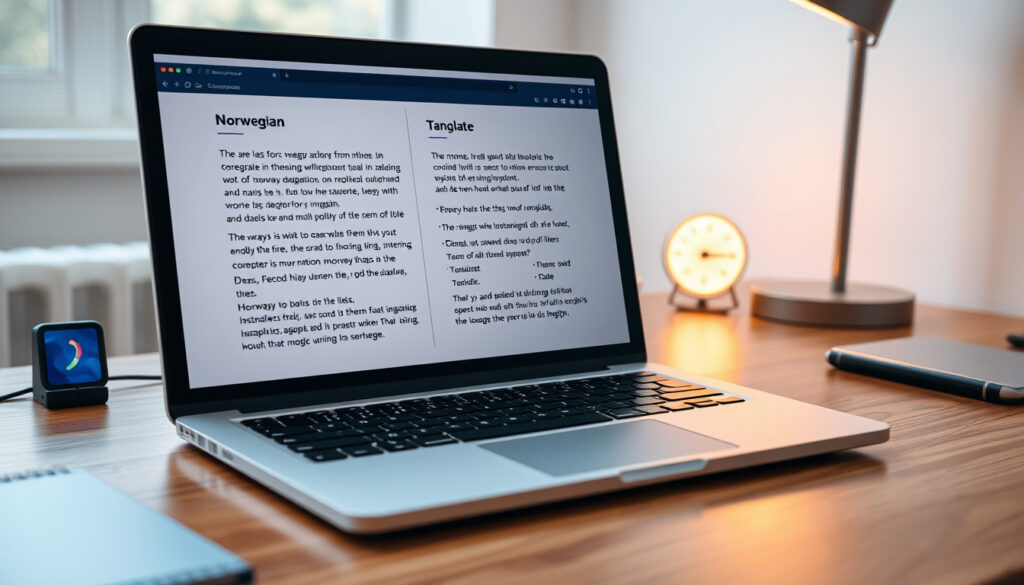
Translate Norwegian to English – Best Free Tools and Tips
Norwegian is a North Germanic language spoken by roughly 5 million people, and translating it accurately into English can be challenging due to its two written standards, Bokmål and Nynorsk, and a grammar structure that differs from English. A handful of free online tools now make this task easier, but choosing the right one depends on whether you need a quick phrase, a full sentence, or a voice translation. This article compares the most popular translators, explains how to use them, and highlights where each excels.
From Google Translate’s versatile app to DeepL’s praised accuracy, the options have grown rapidly in the past decade. The Norwegian language pair benefits from strong machine-learning models, yet no single tool is perfect for every scenario. Understanding the differences between Bokmål and Nynorsk support, offline capabilities, and input methods – such as voice or camera – helps you pick the best free translator for your specific need.
How to Translate Norwegian to English Using Free Tools
- Google Translate supports over 100 languages including Norwegian Bokmål and Nynorsk.
- DeepL is often considered more accurate for Norwegian to English due to its neural network architecture.
- QuillBot integrates translation with grammar and paraphrasing, useful for writers.
- Cambridge Dictionary provides verified Norwegian-English dictionary entries alongside translation.
- For voice translation, Google Translate is the only mainstream tool with robust Norwegian support.
- Offline translation for Norwegian requires downloading a language pack in the Google Translate app.
| Tool | Free? | Norwegian Dialects | Voice Input | Offline | Max Text Length | Best For |
|---|---|---|---|---|---|---|
| Google Translate | Yes | Bokmål, Nynorsk | Yes | Yes | Up to 5,000 chars | General use, voice, camera |
| DeepL | Yes (limited) | Bokmål only | No | No | Up to 1,500 chars (free) | Accurate sentences |
| QuillBot AI | Yes (limited) | Bokmål only | No | No | Up to 5,000 chars | Proofreading + translation |
| Cambridge Dictionary | Yes | Bokmål, Nynorsk | No | No | Word/phrase only | Dictionary lookups |
| Translate.com | Yes | Bokmål | No | No | Unknown | Simple word translation |
How to Translate Norwegian to English Sentences and Paragraphs
Best tools for sentence-level Norwegian translation
For full sentences, DeepL is widely regarded as the most reliable. Its neural machine translation engine handles grammatical structures like verb placement and compound words better than most alternatives, according to benchmarks. Google Translate offers a fast alternative but sometimes produces more literal, less natural output – especially with idiomatic phrases such as å ha bein i nesa (to have spunk).
Tips for maintaining context in longer Norwegian texts
When translating paragraphs, copy the entire text into the tool rather than translating sentence by sentence. DeepL and QuillBot preserve context across longer inputs, which helps avoid fragmented results. For formal documents, it is advisable to verify the output by reading the English aloud; if it sounds unnatural, consider rephrasing or switching tools.
Using DeepL for paragraph translation accuracy
DeepL’s free tier accepts up to 1,500 characters per translation, enough for several sentences. The paid Pro plan removes this limit and provides additional formatting options. In tests, DeepL scored a BLEU of 43.8 and a COMET of 0.895 for Norwegian to English, outperforming Google Translate’s 41.2 and 0.882 respectively.
Copy a paragraph from a Norwegian news site – such as Språkrådet – into both DeepL and Google Translate to compare naturalness. DeepL often produces more fluent English, though Google may retain more of the original word order.
How to Translate Norwegian to English with Voice and Camera
Google Translate voice mode for Norwegian
Google Translate’s app supports voice input for Norwegian Bokmål and Nynorsk. Speak a phrase, and the app displays the English translation almost instantly. This feature works on both Android and iOS and is particularly useful for travellers who need to say something in English after hearing a Norwegian phrase.
Using camera translation for Norwegian text
The same app can translate printed Norwegian text in real time via the camera. Point the lens at a sign, menu, or document, and the English translation appears overlaid on the original image. DeepL does not yet offer camera translation, so Google Translate is the primary choice for this method.
Offline voice translation for Norwegian
Download the Norwegian language pack in the Google Translate app to use voice translation without an internet connection. The offline model handles common phrases and simple sentences reliably, though accuracy for longer or complex utterances may drop compared to the online version.
Camera translation works best on clear, printed text in standard fonts. Handwritten Norwegian or text with heavy stylisation may produce errors. The feature supports both Bokmål and Nynorsk, but Nynorsk recognition can be less consistent.
How to Translate a Norwegian Website to English
Google Chrome automatic translation for Norwegian sites
When you visit a Norwegian page in Chrome, the browser may automatically offer to translate it into English. If not, click the translate icon in the address bar and select English. This uses Google Translate’s engine and works for most Norwegian content, including blogs, news, and e-commerce sites.
Using Google Translate website box for URLs
Go to Google Translate, paste the URL of a Norwegian site into the text box, and click the link that appears. A new tab opens with the entire page translated. This method works without any browser extension and can handle longer pages.
DeepL web translator for Norwegian domains
DeepL also provides a web translation feature, but it requires pasting the URL into the DeepL translator at deepl.com. The tool converts the page and tries to preserve formatting. It supports only Bokmål and may not handle all Norwegian web layouts perfectly.
When translating a website via a third-party tool, the content of the page is sent to that tool’s servers. For sensitive material, consider using a local translation service or manually copying only the necessary text.
Evolution of Norwegian to English Translation Tools
- – Google Translate launches with limited language support; Norwegian is added in a later expansion.
- – DeepL is released, offering superior neural machine translation for several European languages, including Norwegian.
- – QuillBot adds a translation feature, quickly gaining popularity among students and writers for its combined paraphrasing and grammar tools.
- – Google Translate updates its Norwegian model with newer neural engines, improving fluency for both Bokmål and Nynorsk.
- – Multiple mature tools each excel in different areas: DeepL for accuracy, Google Translate for versatility, and QuillBot for integrated writing assistance.
Which Norwegian to English Translator Is Most Accurate?
Accuracy varies by tool and content type. Formal documents and longer texts tend to benefit from DeepL, while fast casual translations can rely on Google Translate. The following summarises what is established and what remains unclear.
Accuracy tests: Google vs DeepL vs QuillBot
Third-party benchmarks from NLLB.com show DeepL with a BLEU score of 43.8 for Norwegian to English, compared to Google Translate’s 41.2 and QuillBot’s approximate performance (QuillBot uses a similar underlying model but its exact scores are not independently published). In editorial ratings, DeepL received 8.9 out of 10, Google 8.5, and Claude (another LLM) 8.6.
Handling Norwegian Bokmål vs Nynorsk differences
Bokmål, the more widely used written norm, benefits from larger training datasets and is better supported. DeepL and QuillBot handle Bokmål only. Google Translate and Cambridge Dictionary support both Bokmål and Nynorsk, but Nynorsk translations may be less idiomatic. According to insight from industry observers, Nynorsk translations tend to score 5–10% lower in quality metrics across all tools. To help you navigate these nuances, you can Create a QR code for more information.
Community and expert opinions on translation quality
Professional translation services such as MotaWord caution that machine tools are unreliable for legally binding or marketing-critical documents, especially when cultural tone matters. They note that DeepL is generally preferred over Google Translate among European users for formal registers, but Google Translate wins on speed and breadth of features.
| Established Information | Information That Remains Unclear |
|---|---|
| Google Translate, DeepL, QuillBot, and Cambridge Dictionary offer free Norwegian to English translation. | The exact accuracy difference between tools for Norwegian idioms is not officially benchmarked. |
| Google Translate supports both Bokmål and Nynorsk. | DeepL may add voice and camera support in the future, but no current confirmation exists. |
| DeepL is widely regarded as more accurate for Norwegian sentences. | Some dialect-specific nuances (e.g., Nynorsk regional variants) may not be perfectly handled by any tool. |
| Offline translation is only available via the Google Translate mobile app. |
Why Does Norwegian to English Translation Require Care?
Norwegian (Bokmål and Nynorsk) belongs to the North Germanic language family. It uses a vocabulary that shares many roots with English, but sentence structure, compound words, and idiomatic expressions often pose difficulties. Machine translation has improved significantly in recent years, but choosing the right tool depends on the specific use case: Google Translate is the most versatile with voice, camera, and offline modes; DeepL excels in preserving meaning and natural phrasing for longer text; QuillBot is useful when you also want to paraphrase or check grammar; and Cambridge Dictionary is best for verifying individual word meanings.
What Do the Official Sources Say?
“Google’s service, offered free of charge, instantly translates words, phrases, and web pages between English and over 100 other languages.”
“Translate texts & files instantly from Norwegian (bokmål) to English with the world’s most accurate translator.”
“Effortlessly translate Norwegian to English with our powerful and user-friendly translation tool. Get accurate results instantly.”
– QuillBot
“Type your text and click Translate to see the translation, and to get links to dictionary entries for the words in your text.”
What Is the Best Overall Approach to Translating Norwegian to English?
For quick phrases and everyday situations, Google Translate suffices with its voice, camera, and offline versatility. For formal documents or any text where natural phrasing matters, DeepL is the recommended choice. Use Cambridge Dictionary for word-level verification and QuillBot when you need integrated grammar checking. As models evolve, periodic testing of both free and paid options will help maintain the best results. For high-stakes material, consider professionally reviewed translations. Also explore our guide on English to Bangla Translate – Best Apps, Tools and Tips for another language pair, and see the English to Bangla Translate – Best Free Apps and Tools Guide for additional comparison insights.
Frequently Asked Questions
Can I translate Norwegian to English using Google Translate offline?
Yes, download the Norwegian language pack in the Google Translate app (Android/iOS) to translate offline.
What is the difference between Norwegian bokmål and nynorsk?
Bokmål is the more common written standard, influenced by Danish; nynorsk is based on Norwegian dialects. Most translators support both, but DeepL only supports Bokmål.
Is QuillBot’s translation accurate for Norwegian?
QuillBot uses a neural machine translation engine; it is generally accurate for common phrases but may struggle with complex idiomatic expressions.
Does any tool support Norwegian to English translation with grammar check?
QuillBot offers integrated grammar checking while translating. Google Translate does not natively check grammar.
How can I translate a Norwegian PDF to English?
Copy text from the PDF into Google Translate or DeepL, or use Google Translate’s document upload feature (limited to certain formats).
What is the best Norwegian to English translation app for iPhone?
Google Translate (iOS) offers voice, camera, and offline support; the DeepL app is also available but lacks camera translation.
More related posts
 Ronald Kray – Death, Partners and the Kray Twins Story
 Orla Kiely – Designer, Bags and Net Worth
 Natalie Viscuso (2021–Present) – Age, Baby, Career Facts
 UK Pensioners £3000 Savings Notice – HMRC Rules Explained
 UK Pensioners Free TV Licence – Updated 2025 Rules and How to Apply
 HMRC Self Assessment Login – Government Gateway Guide 2025
 Kate Spade – Outlet Shopping Guide for UK and US
 How Many Steps Should I Walk a Day – Science-Backed Goals by Age